
NEWS
Siri Recap Listens All Day Without a Warning Chime
Siri Recap will summarize Apple Watch conversations without a warning sound, because Apple says no recording exists. Live Rewind still chimes.

Siri Recap will write a title, summary, and key points from conversations picked up on Apple Watch Series 12 and Ultra 4, then delete the audio. Apple says the feature, due in beta later this year in English, can run all day, on a schedule, or stay off. It plays no warning sound to anyone standing next to the watch.
On September 9, Apple put Recap inside Audio Intelligence on the new watches. On September 10, its support pages and a privacy overview spelled out the split that will follow the product into beta. Live Rewind chimes. Recap does not.
Siri Recap Starts as a Speech Detector on the S11 Chip
Audio Intelligence is four opt-in tools that use the watch microphones and the new S11 chip: Sound Recognition, automatic Music Recognition with Shazam, Live Rewind, and Siri Recap. Sound Recognition can ping you about sirens, alarms, and doorbells even when the iPhone is elsewhere. Shazam can put a song title in the Smart Stack without a tap. Live Rewind and Recap are the conversation pair, and they do not work the same way.
Recap never hands you a recording, and it never hands you a transcript. A lightweight model on the S11 first asks a narrower question, which is whether speech is happening nearby. If it decides a conversation has started, audio moves into a protected buffer inside the chip’s Secure Exclave, a hardware-isolated compartment Apple says watchOS, apps, the wearer, and Apple itself cannot read.
HOW A RECAP MOVES FROM WRIST TO SUMMARY
- Speech check: The S11 model detects nearby talk without transcribing or keeping a file.
- Watch buffer: Detected audio sits in the Secure Exclave, then is encrypted for the paired iPhone.
- Phone exclave: The iPhone Secure Exclave decrypts the stream, transcribes it, and condenses the text to less than half the original length.
- Audio gone: Raw audio is deleted on both devices as soon as that pass finishes.
- Cloud pass: The condensed text, plus a few context labels, goes to Private Cloud Compute to build a title, summary, and key points.
- Seven-day shelf: The finished note lands in the Recaps tab of the Siri app, and Siri Recap auto-deletes after 7 days unless you save or export it.
If the iPhone is out of wireless range, the watch retries. If the link does not come back in time, the device-bound keys expire and the encrypted audio is deleted. Recap is a wrist microphone with a phone brain. It is not a standalone stenographer.
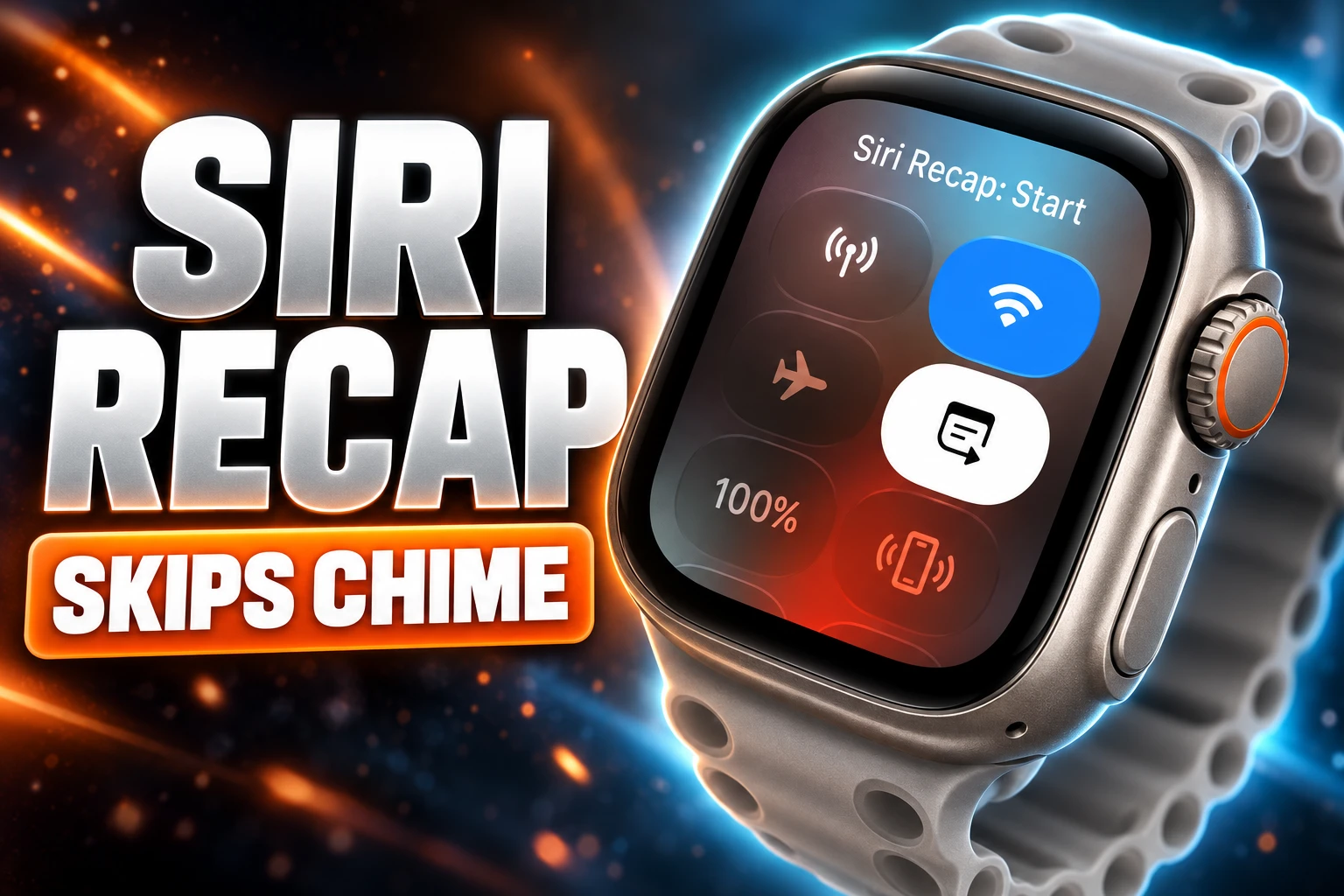
Live Rewind Rings, Recap Stays Quiet
Live Rewind is the feature Apple built an alarm around. A double-press of the Digital Crown pulls the last 15 seconds of speech as a text snippet on the watch face. You can ask Siri about that snippet or save it. The snippet fades about 30 seconds after the display dims if you do neither.
When Rewind runs, the watch plays an audible chime even if it is on silent or paired with headphones. A full-display animation and a microphone indicator come up at the same time. Apple’s support language is blunt about the point of that theater: it is there to alert people nearby.
Recap is the all-day setting, and it gets none of that. You turn it on in the Watch app, then pick always on, a time or location schedule such as only at work or never at night, or a manual toggle from Control Center. Apple’s privacy overview states there is no audible signal for Recap because no raw audio is retained and the original sound cannot be rebuilt from the note.
HOW THE THREE WRIST NOTETAKERS WARN A ROOM
| Tool | Warning to the room | What you keep | Where it runs |
|---|---|---|---|
| Siri Recap | None | Title, summary, key points | Watch buffer, iPhone Secure Exclave, then Private Cloud Compute |
| Live Rewind | Chime, full-screen animation, mic indicator | 15-second text snippet | On-device unless you save it or ask Siri |
| Granola Watch | Chime at start and end, plus a wrist tap; the chime cannot be turned off | Recording, transcript, notes, action items | Watch capture, then iPhone and Granola’s own processing |
Both Apple tools skip speaker labels. Recap may include a name if someone said it aloud, but it will not write “John said” or tag Speaker A against Speaker B. Live Rewind can show words as they were spoken and still will not pin those words on a person.
Granola Already Warns the Room From the Same Wrist
Granola shipped a Watch app on July 28 for walking one-on-ones, whiteboard sessions, and coffee chats. A tap starts a note. The face goes bright green and a sound plays so the wearer knows it is working. A second tap ends it, and the notes show up on iPhone and computer.
The company’s own help page is more pointed than Apple’s Recap copy. Step three of starting a Watch note is “Let people know you are using Granola.” A chime when recording starts also plays when it ends, and the watch taps the wrist. Granola says that chime cannot be turned off even when the watch is silenced, though turning the volume down makes it quieter. Recording can continue with the wrist down and the screen dim. It can also capture offline and wait to sync.
THE WRIST NOTETAKER CALENDAR
- July 28, 2026: Granola launches its Apple Watch app, with a start and end chime, for watchOS 11 or later.
- September 9, 2026: Apple announces Audio Intelligence on Apple Watch Series 12 and Apple Watch Ultra 4, powered by the S11 chip.
- September 10, 2026: Apple publishes the Audio Intelligence support page and a privacy overview that withhold a Recap chime.
- Later in 2026: Live Rewind and Siri Recap are due in beta, English first, with more languages to follow.
Otter and Fireflies still do not run as Watch apps. The usual path is to capture audio somewhere else and upload it. That is why Granola is the awkward comparison for Apple: it is already on the same hardware, it already makes a sound, and it still stores a recording long enough to build a full note.
Who Hears the Watch When Recap Is On?
Apple wrote a whole section on the privacy of people nearby. Recap does not create a recording, does not produce a verbatim transcript, and does not identify speakers. The output, the company says, is comparable to notes a person might jot after a talk. Then it asks users to be mindful where a conversation is private or sensitive.
There is no audible signal because no raw audio is retained, and there is no way to reconstruct the original audio from a Siri Recap or share raw audio with anyone.
Audio Intelligence Privacy Overview, Apple, September 2026
That is the entire bystander interface for an always-on or scheduled listener: a sentence of etiquette, plus filters that try to strip financial data, government-assigned identifiers, authentication secrets, some personal identifiers, and language that promotes self-harm or hate. Apple also warns that those filters can miss things, and that summaries can omit, garble, or invent detail. When accuracy matters, it says to check with the people who were there.
The same company already behaves differently when it admits a recording exists. Start a live Phone or FaceTime audio recording and the system announces that fact to everyone on the call. Live Rewind gets a chime because the wearer just asked for the last 15 seconds as text. Recap can sit on a schedule through a parent-teacher meeting, a clinic visit, or a shift in a classroom, and the watch does not have to make a sound.
The objection that keeps coming back is not that the Secure Exclave is fake. It is that consent is a social problem, and a silent summary still leaves everyone else in the room without a vote. Childcare and classroom rules already treat a wearable microphone as a recording device, even when a vendor says the file never exists. Two-party consent statutes in several U.S. states were written around recordings, and Apple’s paper is built to say this is not one. That argument will be tested in rooms the privacy overview never sees.
A New Watch, a Recent iPhone, and No EU Launch
Recap is gated hard. Sound Recognition and Shazam can pair the new watches with iPhone 11 or later, or iPhone SE (2nd generation or later), on iOS 27. Live Rewind and Recap need the S11 watches plus Apple Intelligence and Siri AI in beta.
WHAT YOU NEED FOR SIRI RECAP
- The watches: Apple Watch Series 12 or Apple Watch Ultra 4 only.
- The phones: Apple’s list names 12 models, starting at iPhone 16 and including iPhone 16 Plus, iPhone 16 Pro, iPhone 16 Pro Max, iPhone 17, iPhone 17e, iPhone 17 Pro, iPhone 17 Pro Max, iPhone Air, iPhone 18 Pro, iPhone 18 Pro Max, and iPhone Duo.
- The age gate: Recap and Live Rewind are blocked under age 13. On a Child Account under 18, a parent or guardian has to turn them on.
- The map: Siri AI will not initially be available in the EU on iOS, iPadOS, and watchOS, which also keeps Recap off those wrists.
Saved Recaps and saved Rewind snippets can sync through iCloud end-to-end encrypted if two-factor authentication and a device passcode are on. Apple says it does not hold those keys. You can edit or delete a summary in the Siri app, and a delete wipes it on every synced device. Export paths include Notes and Journal.
The pairing story is as strict as the phone list. Watch and iPhone add an audio-verified pairing step on top of Bluetooth so ambient audio from one Secure Exclave can move only to the exclave of that paired phone. Keys rotate and expire. A Find My wipe invalidates them. Lose the phone, and the watch has nowhere legal, in Apple’s design, to send the buffer.
What the iPhone Sends to Private Cloud Compute
On-device speech recognition does the first cut. A second on-device model then shrinks the transcript to less than half its length, stripping filler, tone cues, and repeats while trying to keep the topics. A safety model screens the text. Only after that does anything leave the phone.
Private Cloud Compute receives that condensed text plus context Apple says improves the heading. Now Playing data can tell the model the speech came from a song or a podcast. Calendar data can title the note. High-level place labels such as home, work, and school can ride along, with city, state, and country, and point-of-interest categories such as grocery store or park. Precise location and named points of interest stay off that payload, Apple says.
The finished summary comes back encrypted to iPhone and Watch. Apple Foundation Models on Private Cloud Compute never store that job, and outside security researchers can inspect the server software, according to the same overview. Independent experts can verify the PCC promise, the company repeats, at any time.
That still means a day’s worth of condensed conversations, parked for 7 days by default, can sit on a phone that malware can reach. The privacy paper solves Apple-the-company as an adversary. It does not solve a stolen unlocked iPhone, and it does not solve a coworker who never agreed to be reduced to key points.
Paid Notetakers Keep Speaker Names and CRM Fields
Siri Recap is free on hardware people are already buying, aimed at a later jog of memory. Otter and Fireflies sell the opposite stack: named speakers, live captions, and the write-back that puts a meeting into a sales record. Otter’s CRM page is built to push call notes to Salesforce, HubSpot, Microsoft Dynamics, Monday.com, and Zoho. Fireflies routes meeting notes into 100-plus apps across Zoom, collaboration tools, and CRMs.
Those products still charge for depth Recap is designed not to grow. Recap will not give you a transcript to search. It will not map BANT fields into an opportunity. It will not keep speaker turns. If Apple later adds those things, the chime question gets louder, because the output starts to look like the recording Apple says it is not making.
Granola remains the irritant in the middle. It is already on the Watch, it still stores audio long enough to process, and it still tells the room. Recap is quieter, cheaper, and thinner, and it needs a brand-new chip plus a recent iPhone to do less work on paper. The beta will show whether people treat a silent summary as a courtesy to their future selves, or as a microphone they now have to ask about before they speak.
Apple already wrote the line it wants users to say out loud. Be mindful of those around you. Recap, as designed, will not say it for them.

Delta Chooses Proven Cities Over New European Airports

Primetime’s $2.7 Million Preview Tops Pitt’s Costlier Film

UK Food Export Volumes Fall to Crisis-Era Lows

Tandem Foods Plants Its Biggest Line in Pennsylvania

Siri Recap Listens All Day Without a Warning Chime

Warsh Rejects Rate Guidance and Still Moves Markets

NASA Launches the Roman Space Telescope’s Cosmic Bet

Russia Recycles Its Old Warning Over Storm Shadow Plants

Jet Drones Lock Down Kyiv and Strip Kherson of Heat

Record Cyclospora Outbreak Follows Seven Years Without an Inspection
-
 BUSINESS1 month ago
Warsh Rejects Rate Guidance and Still Moves Markets
-
 NEWS1 month ago
NASA Launches the Roman Space Telescope’s Cosmic Bet
-
 NEWS1 month ago
Russia Recycles Its Old Warning Over Storm Shadow Plants
-
 BUSINESS1 month ago
Jet Drones Lock Down Kyiv and Strip Kherson of Heat
-
 BUSINESS1 month ago
Record Cyclospora Outbreak Follows Seven Years Without an Inspection
-

 NEWS1 month ago
OpenAI’s Cyber Letter Puts the Defense Bill on Governments
-

 BUSINESS1 month ago
Iran Pulls Oman Into a Hormuz Revenue Bargain
-
 ENTERTAINMENT1 month ago
Midnight Spider-Man Turns Peter Parker Into Oscorp’s Hybrid